
A useful article can disappear surprisingly quickly. It gets saved in a browser tab, buried under a stack of bookmarks, or left sitting in a phone's screenshots folder until the original context is gone. For anyone who regularly works with research, reports, articles, or other digital references, the problem is rarely finding information. The harder part is keeping useful material organized well enough to find and use again.
That is where an information capture pipeline can help. Instead of treating every bookmark or saved article as an isolated action, a capture pipeline creates a repeatable path from discovery to storage and, eventually, review. Some parts can be automated; others may still require human judgment. The goal is not to collect everything. It is to make worthwhile information easier to preserve without turning the act of saving it into another administrative task.
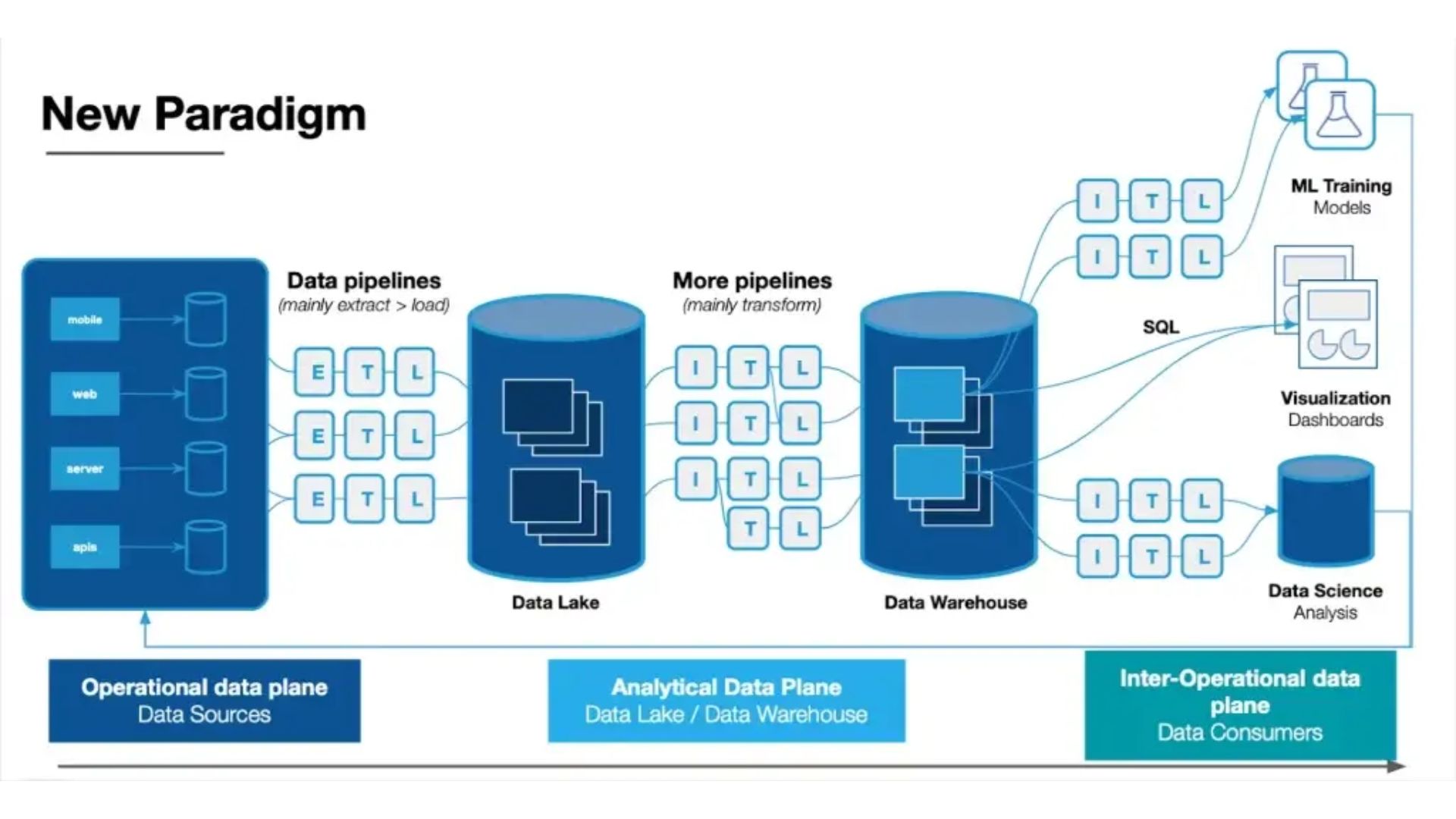
A practical capture pipeline can be thought of as three broad stages:
[ Capture ] ---> [ Clean & Enrich ] ---> [ Store & Review ]
The exact tools will vary, but the basic logic stays the same. Material enters the system, unnecessary clutter is removed, useful metadata is attached, and the resulting reference moves somewhere it can be revisited.
The weakest stage tends to determine how well the whole system works. If saving something takes too much effort, people stop capturing. If the system stores everything without any later review, the repository simply becomes another pile of unread material.
The first few seconds matter. If saving an article requires copying a URL, switching between several applications, creating a record, and manually entering a handful of fields, the process will eventually feel like work rather than a convenience.
A better setup puts capture close to the point of discovery. Browser extensions, web clippers, mobile share sheets, RSS readers, and automation platforms can all help move material into a reading queue or repository with minimal intervention.
The best capture method also depends on the source. A research paper may need the original PDF, while a web article may only require its readable text and URL. A podcast might need an episode link and transcript, whereas a short social post may only be worth preserving as a note.
The important principle is simple: capture first, organize later when necessary. Asking for too much structure at the moment of discovery creates friction precisely when attention is elsewhere.
Web content rarely arrives in a convenient format. A page can contain navigation menus, cookie notices, advertisements, tracking parameters, related-content widgets, and other elements that have little value once the material has been saved for research.
A cleaning stage can separate the useful material from that surrounding clutter. Read-it-later services, web clippers, archival tools, and custom extraction workflows can produce a cleaner version of an article for later reading.
This is also a useful point to normalize metadata. Depending on the workflow, a captured record might include the author, publication date, source domain, original URL, document type, or other fields that make later filtering easier.
The key is not to collect every possible piece of metadata. A small set of consistently populated fields is usually more useful than a complicated schema that requires constant manual maintenance.
A bookmark is a pointer, not necessarily an archive. The original page may later change, move behind a paywall, disappear, or return a different version of the content.
For research that needs to remain accessible, keeping a durable copy can reduce dependence on the original URL. Depending on the material and the rights involved, that might mean retaining the original PDF, saving a local copy, or using a web-archiving format such as WARC.
These measures do not guarantee permanent access, but they can make a collection more resilient to link rot and changes at the original source.
There is another consideration here: storage should match the purpose of the collection. A temporary reading queue does not need the same persistence strategy as a research archive that may be consulted years later.
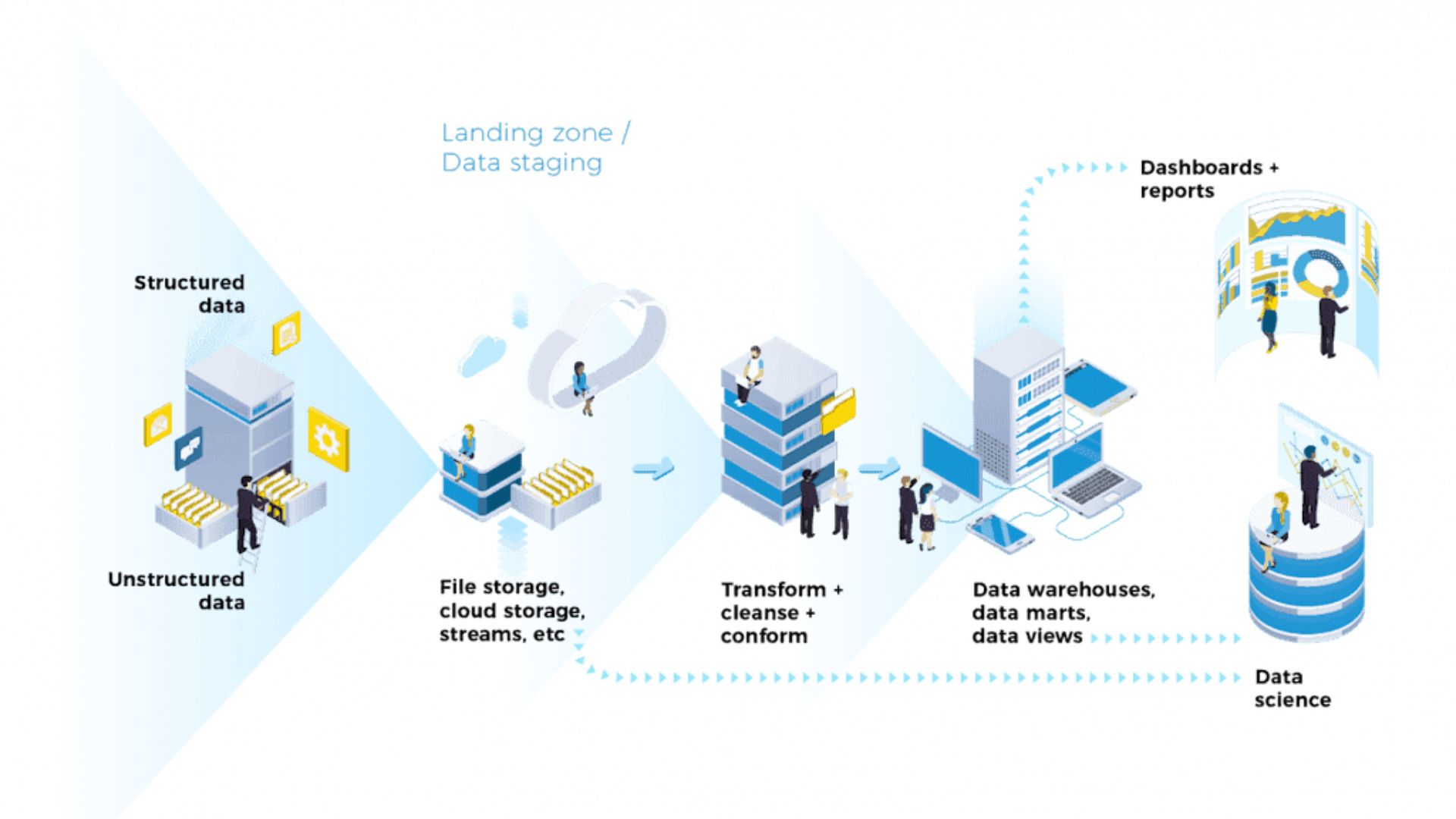
Not every source needs to enter the system in the same way. A 40-page research paper, a blog post, and a short news update have different capture requirements.
For sites that provide RSS or Atom feeds, automated feeds can remove much of the repetitive work involved in monitoring new material. Instead of visiting every publication separately, an RSS reader can gather updates in one place and provide a convenient starting point for deciding what deserves further attention.
Feeds work especially well for recurring sources such as journals, blogs, newsletters, and industry publications.
Browser-based capture is useful for material discovered during ordinary web research. A good web clipper can preserve a page, selected text, or a reference without requiring the user to leave the current browsing session.
Selective capture can also be more useful than saving an entire page. If only one section of a long article matters, preserving that section alongside the original source can make later review much faster.
Research does not happen only at a desktop. Articles, reports, videos, and social posts are often discovered on phones, so the mobile sharing workflow deserves the same attention as the desktop setup.
A practical system should allow useful material to move from the phone into the same reading queue or repository used elsewhere. Otherwise, mobile captures tend to become a separate collection that is easy to forget.
A capture system can fail even when the underlying technology works perfectly. The problem is often the workflow around it.
The collector's fallacy describes the tendency to confuse gathering information with learning from it. Saving an article about quantum computing does not create an understanding of quantum computing. Neither does building a beautifully organized archive.
This distinction matters because capture systems make collecting unusually easy. Once saving an article takes a second or two, there is very little resistance to accumulating dozens of them.
A healthier workflow gives captured material somewhere to go next. That might be a reading queue, a weekly review, a research project, or a simple decision to discard material that no longer seems useful.
The objective is not to maximize the size of the archive. It is to increase the amount of useful information that eventually becomes searchable, understood, cited, or incorporated into actual work.
Automation can remove repetitive work, but it can also create a system that is harder to maintain than the original manual process.
A workflow with numerous webhooks, custom scripts, APIs, and authentication steps may look impressive when everything works. Then a service changes its API, a website changes its page structure, or a token expires.
That is maintenance debt.
For most personal research systems, reliability is more valuable than complexity. Automate the repetitive parts, but keep the architecture understandable enough that a broken step can be identified and repaired without rebuilding the entire pipeline.
There is another failure mode that receives less attention: the pipeline becomes so easy to use that everything gets captured.
An inbox filled with hundreds of unread articles is still an inbox. Making the capture stage faster does not solve the problem if nothing happens afterward.
A useful system therefore needs a clear boundary between captured and processed material. Captured items can remain temporary. Processed items should have earned a more permanent place because they have been read, annotated, summarized, linked to a project, or otherwise judged useful.
Capture works best when it feeds into the rest of the research workflow rather than becoming a destination in itself.
Researchers may move references into citation-management software. Writers may send useful passages into a notes system. A project team may attach selected documents to a shared knowledge base. The tools can differ, but the underlying principle is the same: captured information needs a clear next step.
Applications such as Zotero, Obsidian, and Notion can play different roles in that process. A reference manager may be useful for bibliographic information and source tracking, while a note-taking system may be better suited to developing ideas from those sources. A database can add structured fields such as project, status, source type, or review date.
The important distinction is between storage and knowledge work. A repository can preserve a reference, but it cannot decide whether that reference matters. Human judgment still determines which sources deserve attention, which ideas belong together, and which material should be discarded.
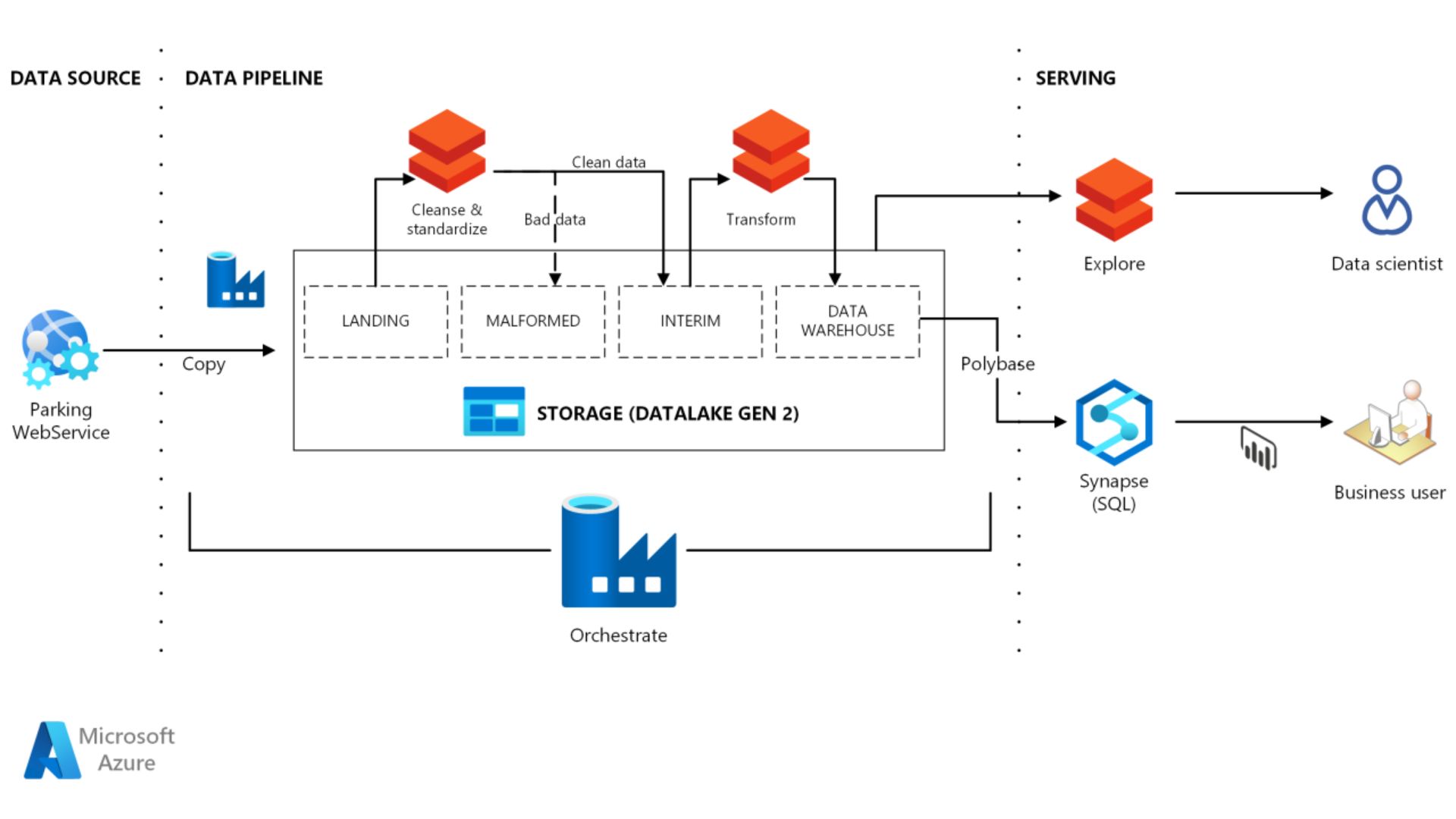
A durable capture system does not need to be complicated. In many cases, a small number of reliable steps will outperform an elaborate workflow that requires constant maintenance.
Start with the sources that matter most. Make capture easy on the devices where discovery actually happens. Keep metadata limited to fields that serve a clear purpose. Separate temporary reading queues from long-term archives, and establish some regular point at which captured material is reviewed.
Most importantly, design the pipeline around the next use of the information. If the goal is academic research, preservation and citation may matter most. If the goal is writing, extracting useful passages and connecting them to working notes may be more important. For ongoing industry research, consistent source tracking and easy filtering may take priority.
A good information capture pipeline is therefore less about collecting information at scale than about creating a dependable path from discovery to use. Capture removes the friction at the beginning. Cleaning makes the material easier to work with. Storage preserves it. Review turns a pile of references into something that can actually support future work.